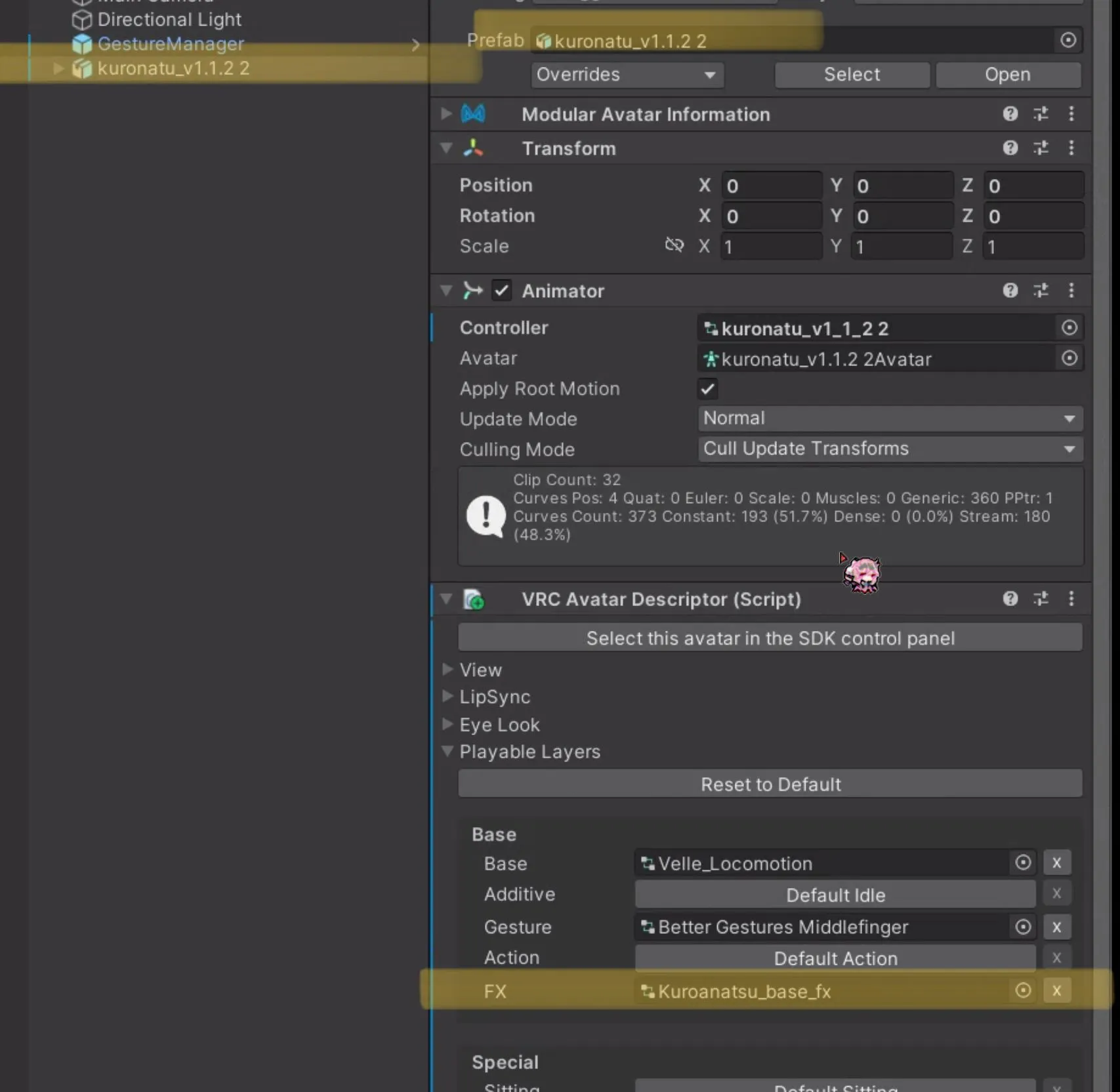
I selected the top-level object of the avatar in the hierarchy. By expanding the Playable Layers at the bottom of the VRC Avatar Descriptor, you can find the FX animation controller. Clicking the name once will display it in the project panel as shown in the photo below.
ヒエラルキーでアバターの最上位オブジェクトを選択しました。VRC Avatar Descriptorの下部にあるPlayable Layersを展開すると、FXアニメーションコントローラーが見つかります。ここで名前を一度クリックすると、下の写真のようにプロジェクトパネルに表示されます。
하이어라키에서 아바타 최상위 오브젝트를 선택했습니다. VRC Avatar Descriptor 하단Playable Layers를 펼치면 FX 애니메이션 컨트롤러를 찾을 수 있습니다. 여기서 이름을 한 번 클릭하면 아래 사진과 같이 프로젝트 패널에 표시됩니다.
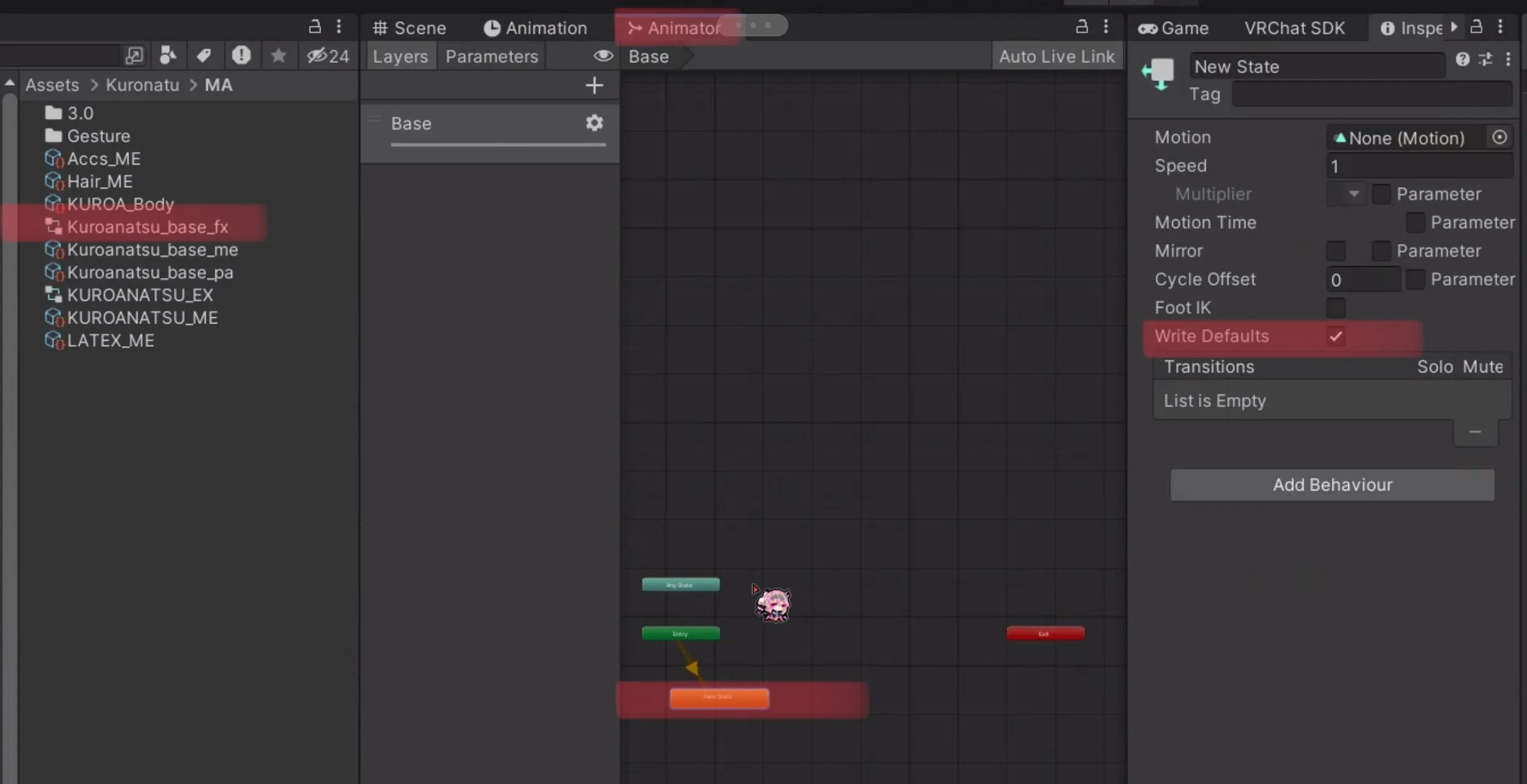
When you open this in the Animator panel, you can see the layers and parameters. Select any layer in the Animator panel (in the example, Base) and then select the Animation State on the right (yellow or white, in the example, New State). You can then see the status of Write Defaults in the Inspector panel.
If it is unchecked, import the wdoff Unity package; if it is checked, import the regular Unity package.
アニメーターパネルで開くと、レイヤーとパラメーターが表示されます。アニメーターパネルで任意のレイヤーを選択した後(例ではBase)、右側のAnimation State(黄色または白、例ではNew State)を選択してください。すると、インスペクターパネルで「Write Default」の状態を確認することができます。
もしチェックが外れている場合は「wdoff」ユニティパッケージを、チェックが入っている場合は通常のユニティパッケージをインポートしてください。
이를 애니메이터에 패널에서 열면 레이어와 파라메터가 보입니다. 애니메이터 패널에서 아무 레이어나 선택한 뒤(예시에선 Base)우측 Animation State(노란색이거나 흰색, 예시에선 New State)를 선택합니다. 그러면 인스펙터 패널에서 Write Default의 여부를 알 수 있습니다.
만약 체크가 해제되어있다면 wdoff 유니티패키지를, 체크가 되어있다면 일반 유니티패키지를 임포트 하세요.