Which package should I import?
DebugMenu
Default Collider
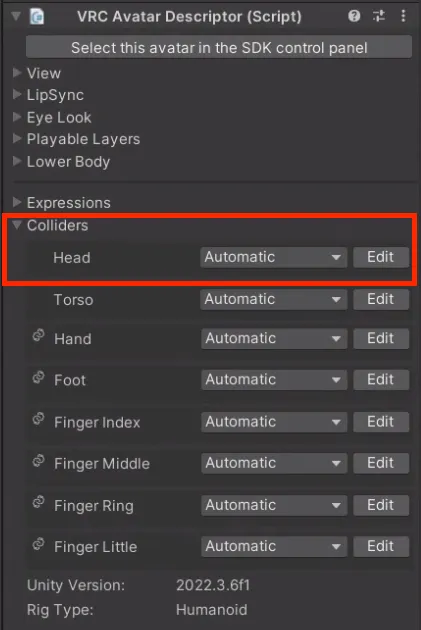
At the bottom of the avatar descriptor, there are collider-related settings. If the other party is not using this, the Contact Receiver for the KissSFX interacting with the Head will not work. Please refer to the image below!
アバターディスクリプターの下部にはコライダーに関する設定があります。相手がこれを使用していない場合、Headと相互作用するKissSFXのコンタクトレシーバーは機能しません。下の画像を参考にしてください!
아바타 디스크립터 하단에 콜라이더 관련 설정이 있습니다. 만약 상대방이 이를 사용하지 않고 있다면 Head와 상호작용하는 KissSFX의 Contact Receiver는 작동하지 않습니다. 아래 사진을 참고하세요!
### Test it alone without another avatar
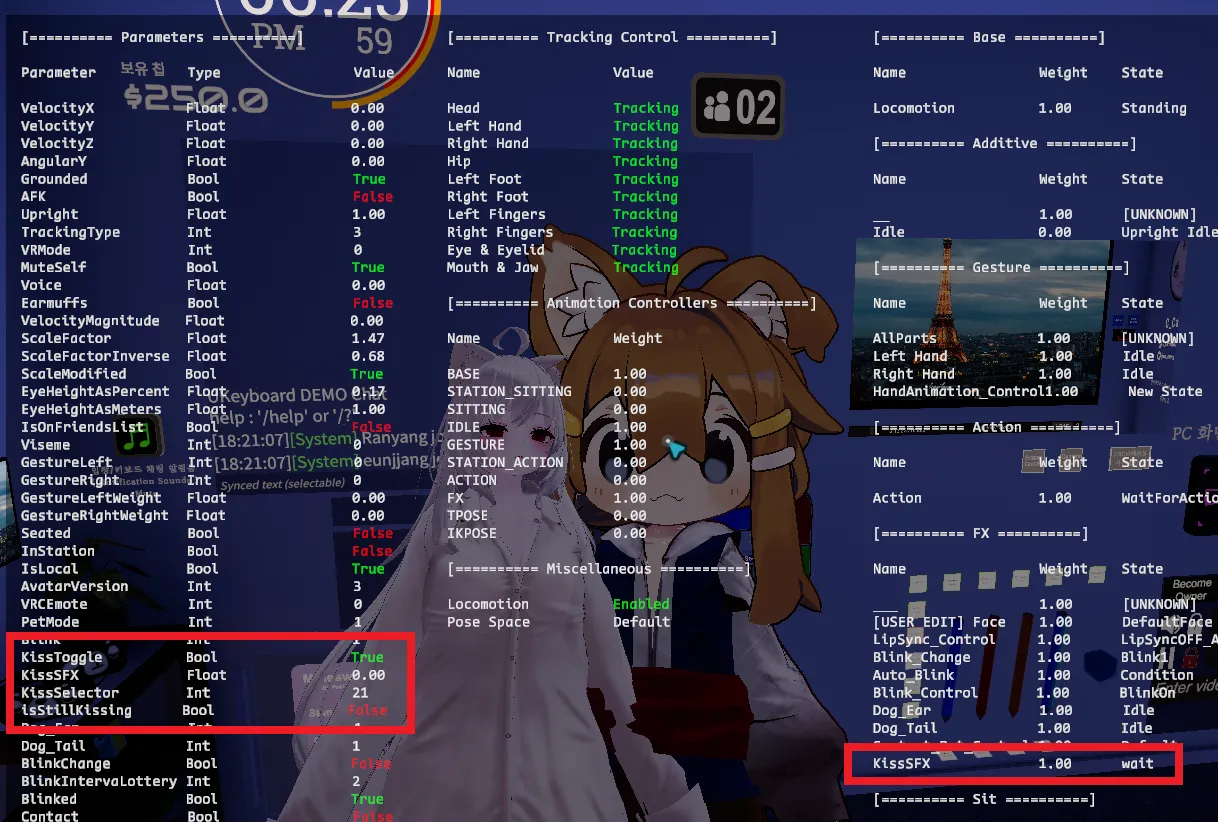
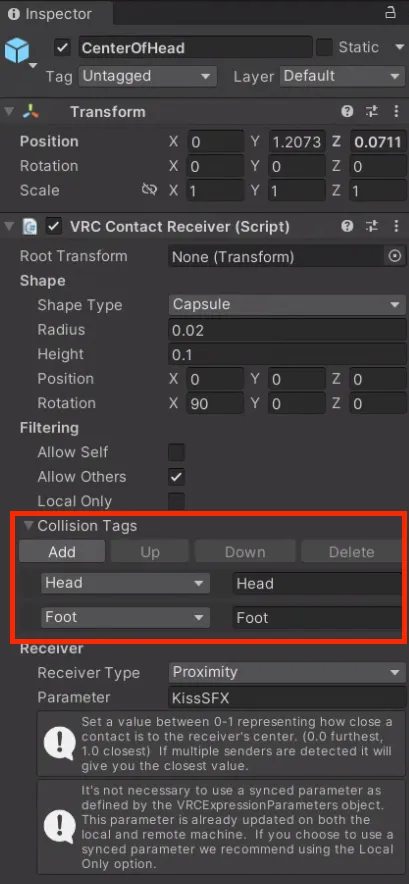
The Contact Receiver of KissSFX interacts by default with the Head and Foot colliders.
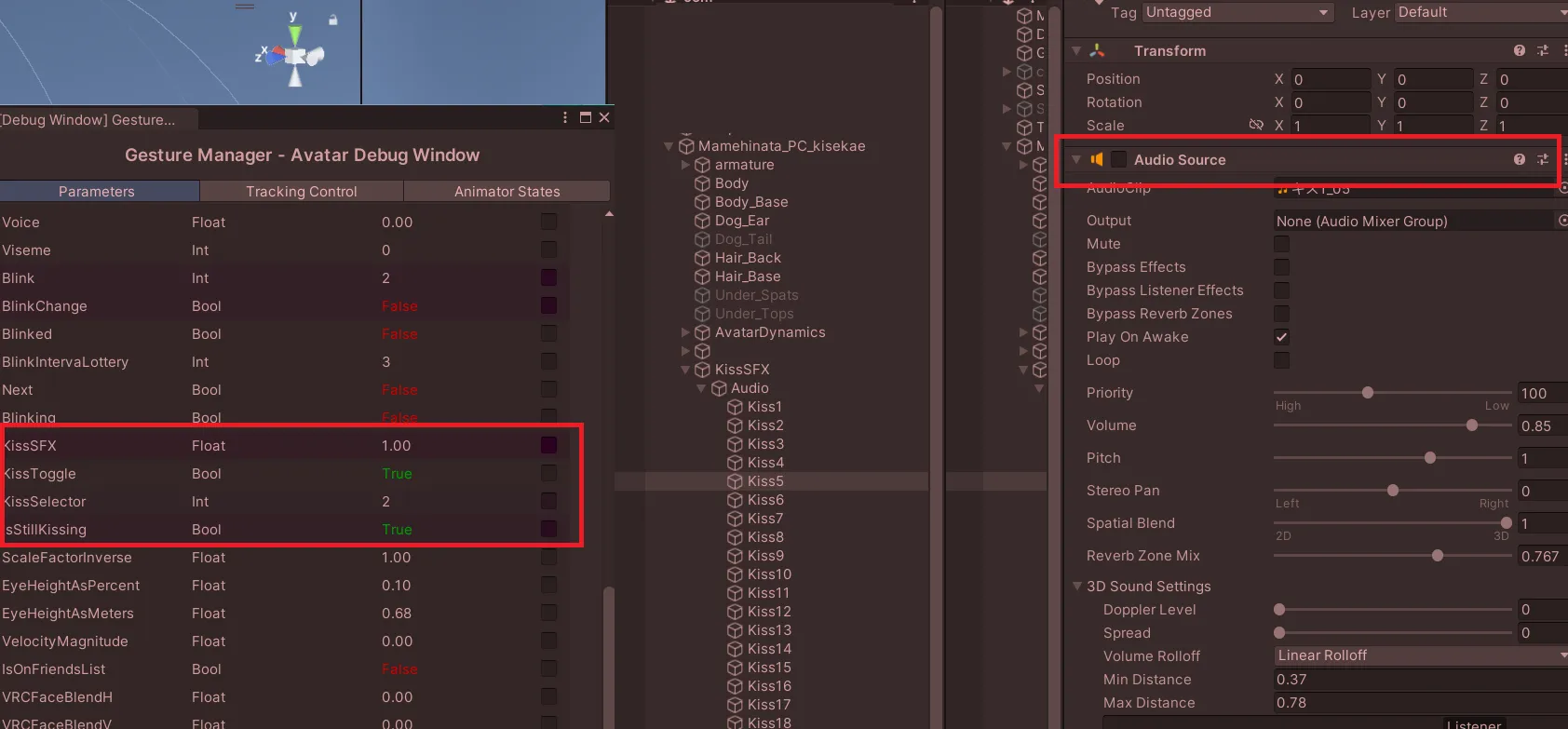
For testing purposes, temporarily check Allow Self and upload the avatar, then check whether the KissSFX parameter value is not zero.
(This will make it interact with your own Head Collider.)
相手なしで一人でテストする
KissSFXのコンタクトレシーバーはデフォルトでHeadとFootのコライダーと相互作用します。ここで一時的に「Allow Self」にチェックを入れてアップロードすると、KissSFXパラメータの値が0でないことを確認できます。(自分自身のHeadコライダーと相互作用します。)
상대방 없이 혼자 테스트 하세요
KissSFX의 Contact Receiver는 기본적으로 Head와 Foot 콜라이더와 상호작용합니다. 여기에서 임시로 Allow Self를 체크하고 업로드하여 KissSFX 파라메터의 수치가 0이 아닌지 확인해보세요.(자기자신의 Head Collider와 상호작용하게 됩니다.)
Please review the installation instructions once again.
KissSFXはアバターの最上位階層に配置する必要があります:
Lasyusha[version]
ㄴArmature
ㄴDress
ㄴetc.
ㄴKissSFX Prefab
このように、Prefabを頭や首の骨の中に入れる必要はありません。上記のようにArmatureがある階層と同じ場所にPrefabを置き、その中にあるcenterOfHeadオブジェクトの位置を鼻と口の間に移動してください。(これも、どのボーンの内部に入れることを意味しません。) 以下に画像を添付しますので、ご参照ください。
KissSFX는 아바타 최상위 하이어라키에 위치해 있어야 합니다:
Lasyusha[version]
ㄴArmature
ㄴDress
ㄴetc.
ㄴKissSFX Prefab
위와 같이 프리팹을 어떤 위치(머리나 목 뼈 안에 넣는 것과 같은)로 옮길 필요가 없습니다. 위와 같이 Armature가 있는 하이어라키와 같은 장소에 프리팹을 놓고, 그 안에 있는 centerOfHead 오브젝트의 위치 값을 코와 입 사이로 옮기세요. (이것 또한 어떤 본 내부에 넣는 것을 의미하지 않습니다.) 아래에 이미지를 첨부하오니 참고해주세요.
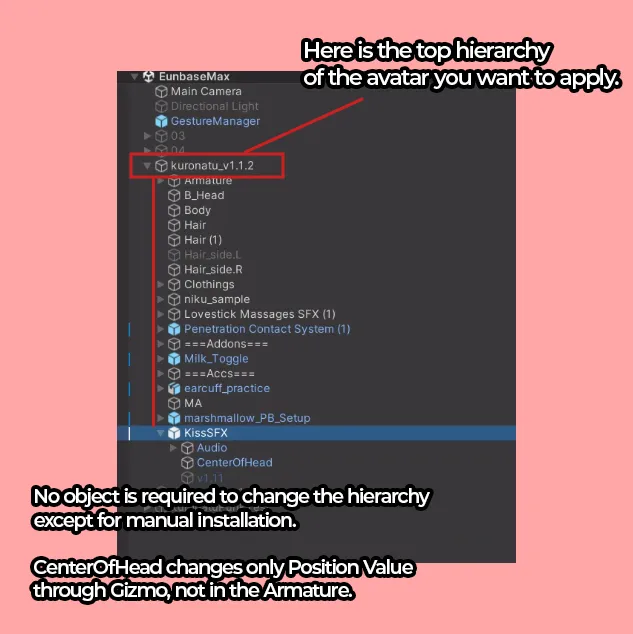
KissSFX should be placed at the top hierarchy of the avatar:
Lasyusha[version]
ㄴArmature
ㄴDress
ㄴetc.
ㄴKissSFX Prefab
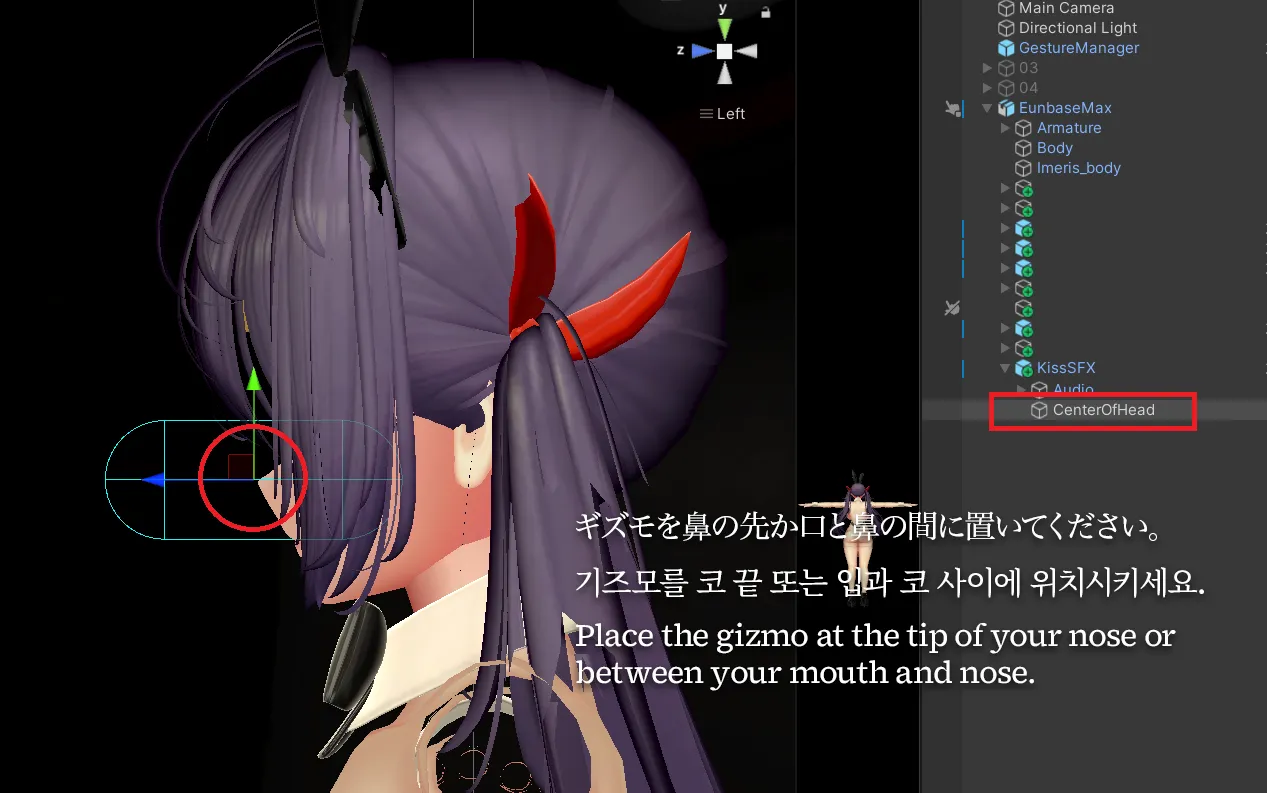
There is no need to move the prefab into specific locations like the head or neck bones. Place the prefab in the same hierarchy level as the Armature, as shown above, and move the position of the centerOfHead object inside it to between the nose and mouth. (This also does not mean placing it inside any bone.)
Please refer to the attached image below for reference.
どうして口じゃなく、鼻ですか?

チュパサウンドのギミックは、相手アバターの頭部「内部」に配置されたコライダーに反応するように設計されています。Gizmoを口元ではなく鼻の中心に合わせているのは、このコライダーに適切に反応させるためであり、通常、鼻はアバターの中で最も前方に突出している部位であるためです。
Gizmoの位置を口元に変更された場合、Eyepointの位置によっては、相手アバターに非常に近づかなければならず、動作に支障をきたす恐れがあります。そのため、Gizmoの設置位置については、可能な限りreadmeファイルに記載の推奨位置に設定していただくことをおすすめいたします。
츄파사운드 기믹은 상대 아바타의 머리 내부에 배치된 콜라이더에 반응하도록 설계되어 있습니다.
Gizmo를 입이 아닌 코의 중심에 맞추는 이유는, 이 콜라이더에 정확히 반응시키기 위함이며, 일반적으로 코는 아바타의 얼굴 중 가장 앞으로 돌출된 부위이기 때문입니다.
만약 Gizmo의 위치를 입 쪽으로 변경할 경우, Eyepoint의 위치에 따라 상대 아바타에 매우 가까이 접근해야 작동할 수도 있어, 동작에 문제가 발생할 가능성이 있습니다.
따라서 Gizmo의 위치는 가능하면 readme 파일에 명시된 권장 위치로 설정하시길 권장드립니다.
The gimmick is designed to respond to a collider placed inside the other avatar’s head.
The Gizmo is aligned to the center of the nose rather than the mouth so that it properly reacts to this collider—since the nose is typically the most forward-protruding part of an avatar’s face.
If you move the Gizmo to the mouth area, depending on the Eyepoint position, you may have to get very close to the other avatar for it to work, which could cause operational issues.
Therefore, we recommend setting the Gizmo position to the suggested location described in the readme file whenever possible.