-
Contact: https://x.com/vrc_eun
セットアップガイド
-
Modular Avatar を使用して、必要な
Shrink/Deleteシェイプキーを自動設定しています。必ず最初に Modular Avatar を導入してください。 -
衣装が意図した通りに動作しない場合、事前に構成されている
Shrink/Deleteシェイプキー以外にも、追加で適用してみることを推奨します。 -
テクスチャの作業解像度は 4K ですが、アップロード時の最適化のため、Unity 側でダウンサイジングしています。
-
Modular Avatar를 사용하여 필요한 Shrink/Delete 셰이프키를 자동으로 설정하고 있습니다. 반드시 먼저 Modular Avatar를 도입해주세요.
-
의상이 의도한대로 작동이 되지 않을 경우 사전 구성된 Shrink/Delete 셰이프키 이외에도 추가로 적용해보시길 권장합니다.
-
텍스쳐의 작업해상도는 4k이나, 업로드시 최적화를 위해 유니티에서 다운사이징하였습니다.
-
/MiniGoth use Modular Avatar to automatically configure the required
ShrinkandDeleteshape keys. Please make sure to install Modular Avatar first. -
If the outfit does not behave as intended, we recommend applying additional
ShrinkorDeleteshape keys beyond the preconfigured ones. -
The texture work resolution is 4K, but it has been downsized in Unity for optimization during upload.
改変に関して
帽子のサイズや角度の調整について
-
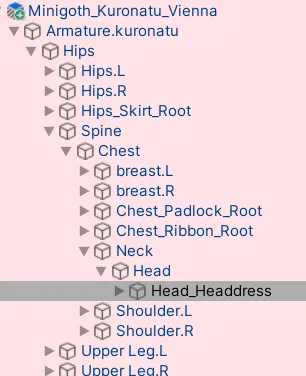
Prefab-Aramature-Hips-Spine-Chest-Neck-Head-Head_Headdressのサイズ・位置・角度を変更することで調整が可能です。 -
Prefab-Aramature-Hips-Spine-Chest-Neck-Head-Head_Headdress의 크기와 위치, 각도를 바꾸어 조절할 수 있습니다. -
You can adjust the size, position, and rotation of the hat by modifying:
Prefab-Aramature-Hips-Spine-Chest-Neck-Head-Head_Headdress
-
이외에도, 헤드드레스 조정을 위한 셰이프키 Tilt_Back, Expand_Top, Curve_Up, Curve_Down등이 있습니다.
-
そのほか、ヘッドドレスの調整(ちょうせい)に使用(しよう)するシェイプキーとして、
Tilt_Back、Expand_Top、Curve_Up、Curve_Downなどがあります。 -
In addition, there are shape keys for adjusting the headdress, such as
Tilt_Back,Expand_Top,Curve_Up, andCurve_Down.
カラー調整について
-
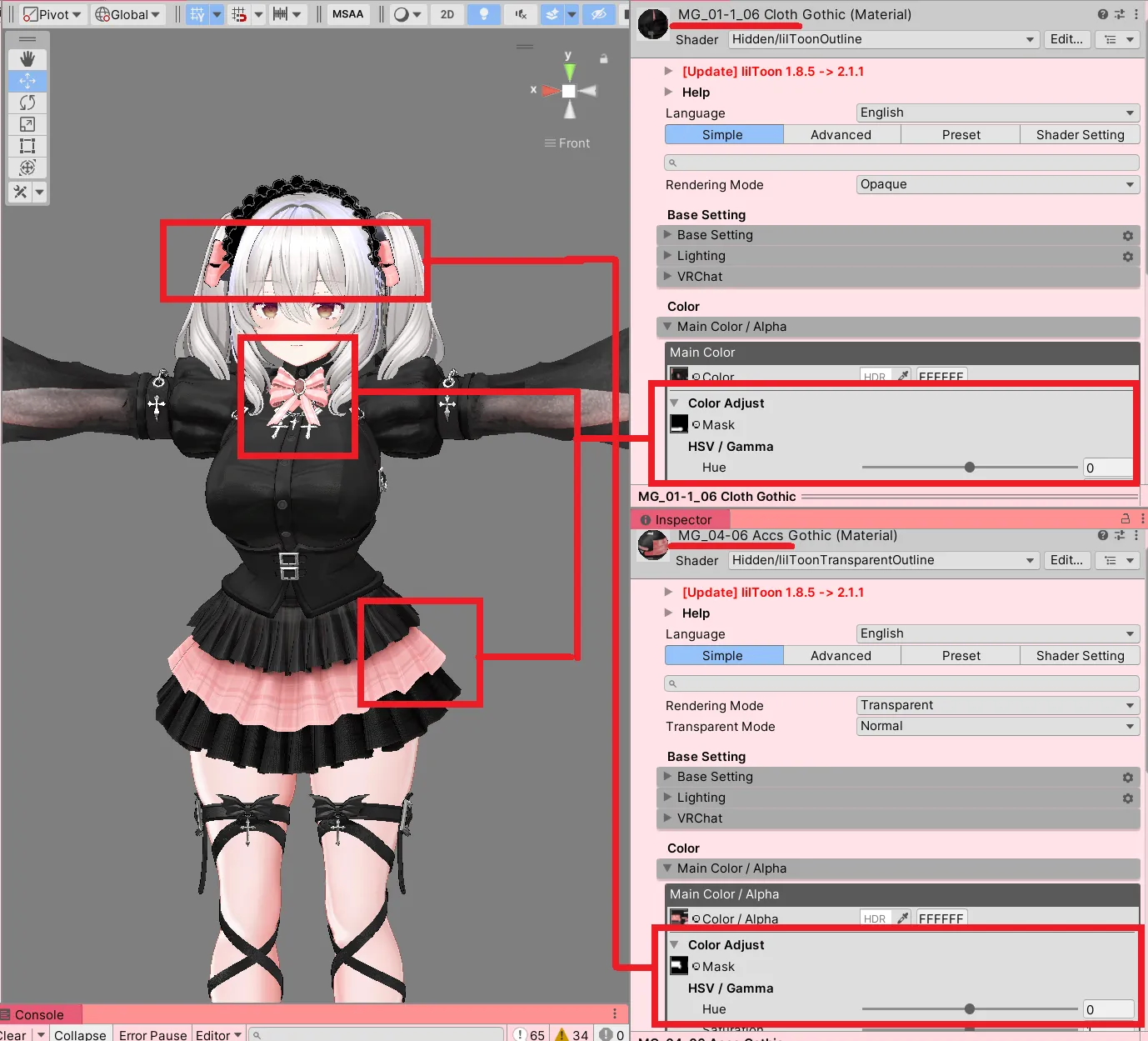
ヘッドドレスのリボン、ブラウスのリボン、スカートのポイントカラーには、調整用マスクが同梱(どうこん)されています。Color Adjust機能(きのう)を使って色(いろ)を変更(へんこう)できます。
-
헤드드레스 리본과 블라우스의 리본, 치마의 포인트 색상은 마스크가 동봉되어있습니다. Color Adjust기능을 이용해 색상을 변경할 수 있습니다.
-
The ribbons on the headdress, the blouse ribbon, and the accent color on the skirt come with a color-adjustment mask. You can change their colors using the Color Adjust feature.
シェイプキーの説明
MiniGoth には、衣装の各パーツを非表示/表示できるシェイプキーが同梱されています。
MiniGoth에는 의상의 각 부위를 숨기거나 표시할 수 있는 셰이프키가 동봉되어 있습니다.
MiniGoth includes shape keys that allow you to hide or show various parts of the outfit.
-
MG_01_Cloth_Blouse
-
Ribbon_Hide
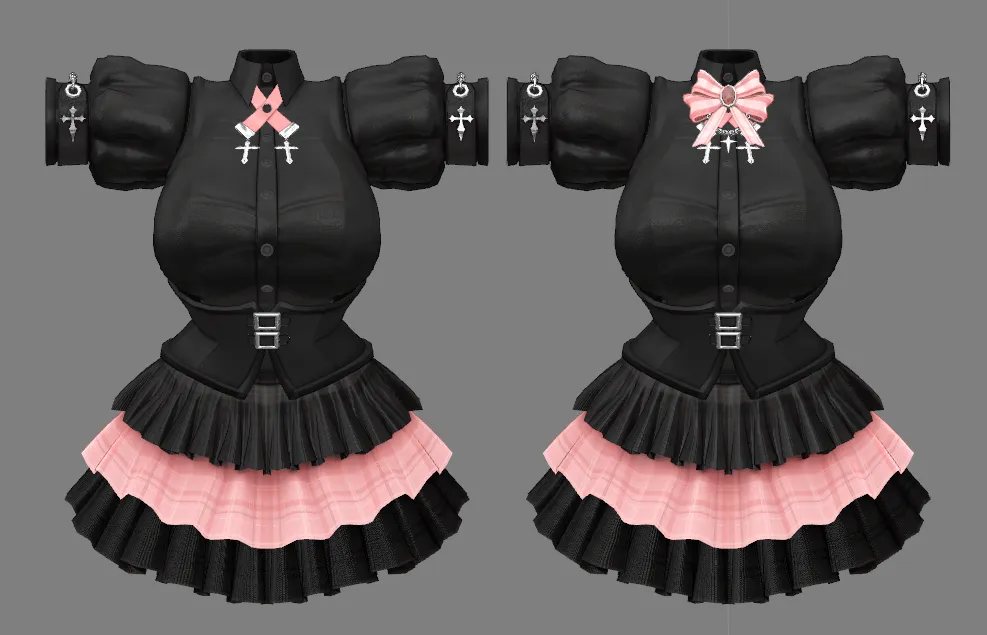
リボン部分を非表示にします。
-
Corset_Padlock_On
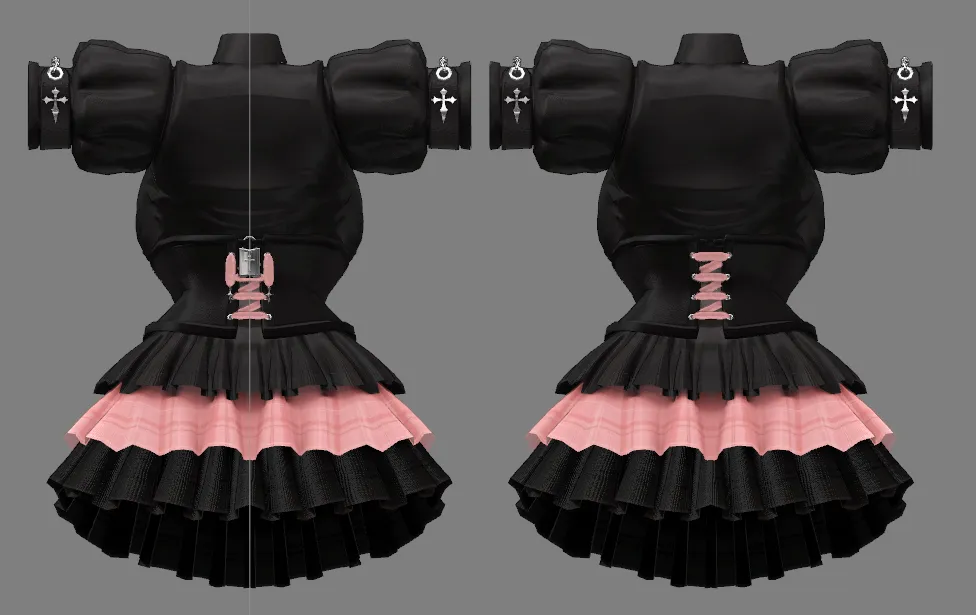
コルセットのパドロック鍵を表示します。
-
-
MG_01_Cloth_Sleeves
-
Sleeves_Tighten
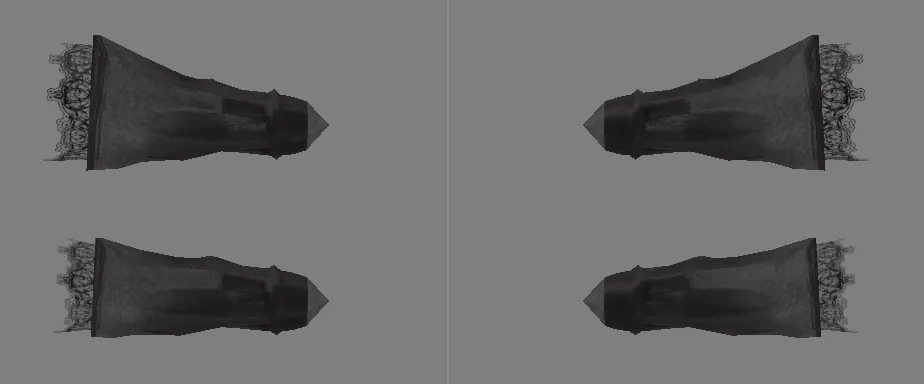
袖のふくらみを細くし、スリムな形状に調整します。
-
-
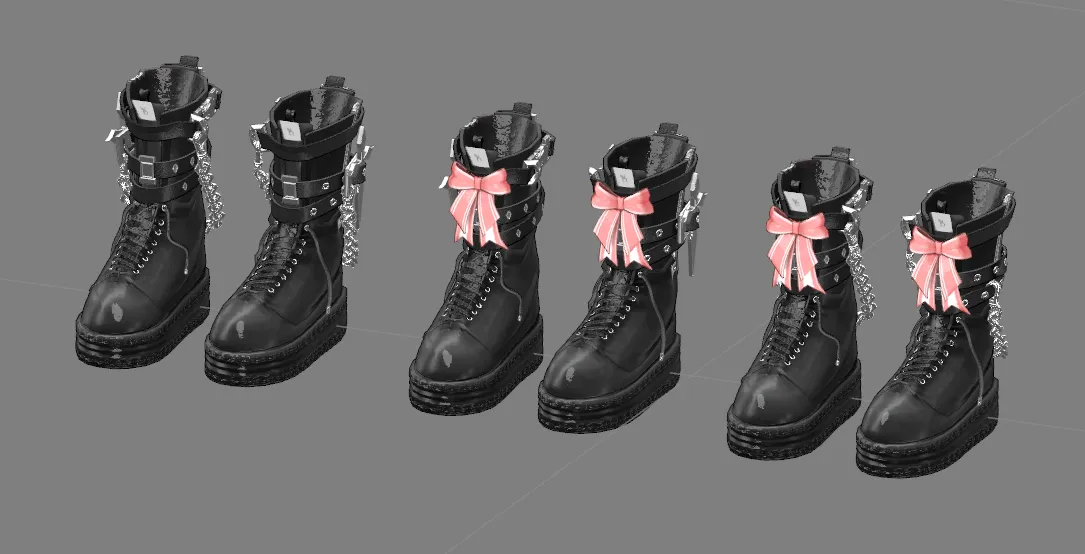
MG_02_Boots
-
Ribbon_Hide
リボン部分を非表示にします。
-
Chain_Hide
チェーン部分を非表示にします。
-
Cross_Hide
クロスパーツを非表示にします。
-
-
MG_04_Accesories_LegString
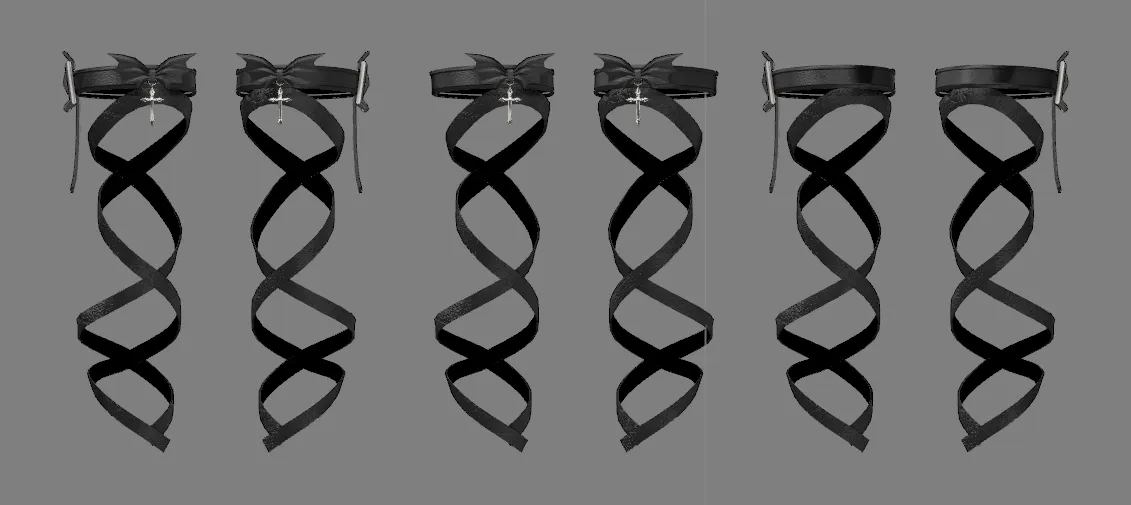
- Holder_Hide
ホルダー部分を非表示にします。
-
Ribbon_Hide
リボン部分を非表示にします。
互換性情報
Modular Avatar 1.11.0 にて動作確認済みです。
-
Airi_Ver1.01
-
Chiffon_v1.00
-
Chocolat_v1.01
-
ICHIGO_v1.04
-
Kipfel_1.1.1
-
kuronatu_v1.1.2
-
MANUKA_ver1.02
-
Milfy_v1.5.0
-
Milltina_ver1.01.1
-
Moe_Ver1.02.1
-
rurune_v1.1.3
-
SELESTIA_ver1.02
-
Shinano_ver1.01.2_AMSv0.0.12
-
Sio_ver.2.01
-
soraha_ver1.4
-
3+1_GA3_PKG
アップデート情報については、Boothページをご確認ください。
Modular Avatar 1.11.0에서 작동을 확인했습니다.
-
Airi_Ver1.01
-
Chiffon_v1.00
-
Chocolat_v1.01
-
ICHIGO_v1.04
-
Kipfel_1.1.1
-
kuronatu_v1.1.2
-
MANUKA_ver1.02
-
Milfy_v1.5.0
-
Milltina_ver1.01.1
-
Moe_Ver1.02.1
-
rurune_v1.1.3
-
SELESTIA_ver1.02
-
Shinano_ver1.01.2_AMSv0.0.12
-
Sio_ver.2.01
-
soraha_ver1.4
-
3+1_GA3_PKG
업데이트 정보는 Booth Page에서 확인 바랍니다.
Compatibility Information
Confirmed to work with Modular Avatar 1.11.0.
-
Airi_Ver1.01
-
Chiffon_v1.00
-
Chocolat_v1.01
-
ICHIGO_v1.04
-
Kipfel_1.1.1
-
kuronatu_v1.1.2
-
MANUKA_ver1.02
-
Milfy_v1.5.0
-
Milltina_ver1.01.1
-
Moe_Ver1.02.1
-
rurune_v1.1.3
-
SELESTIA_ver1.02
-
Shinano_ver1.01.2_AMSv0.0.12
-
Sio_ver.2.01
-
soraha_ver1.4
-
3+1_GA3_PKG
For the latest updates, please check the Booth page.
Use in streaming platform
日本語 · English · 한국어 → Use in streaming platform
Last Modified: 2025.11.26