
Contact: https://x.com/vrc_eun
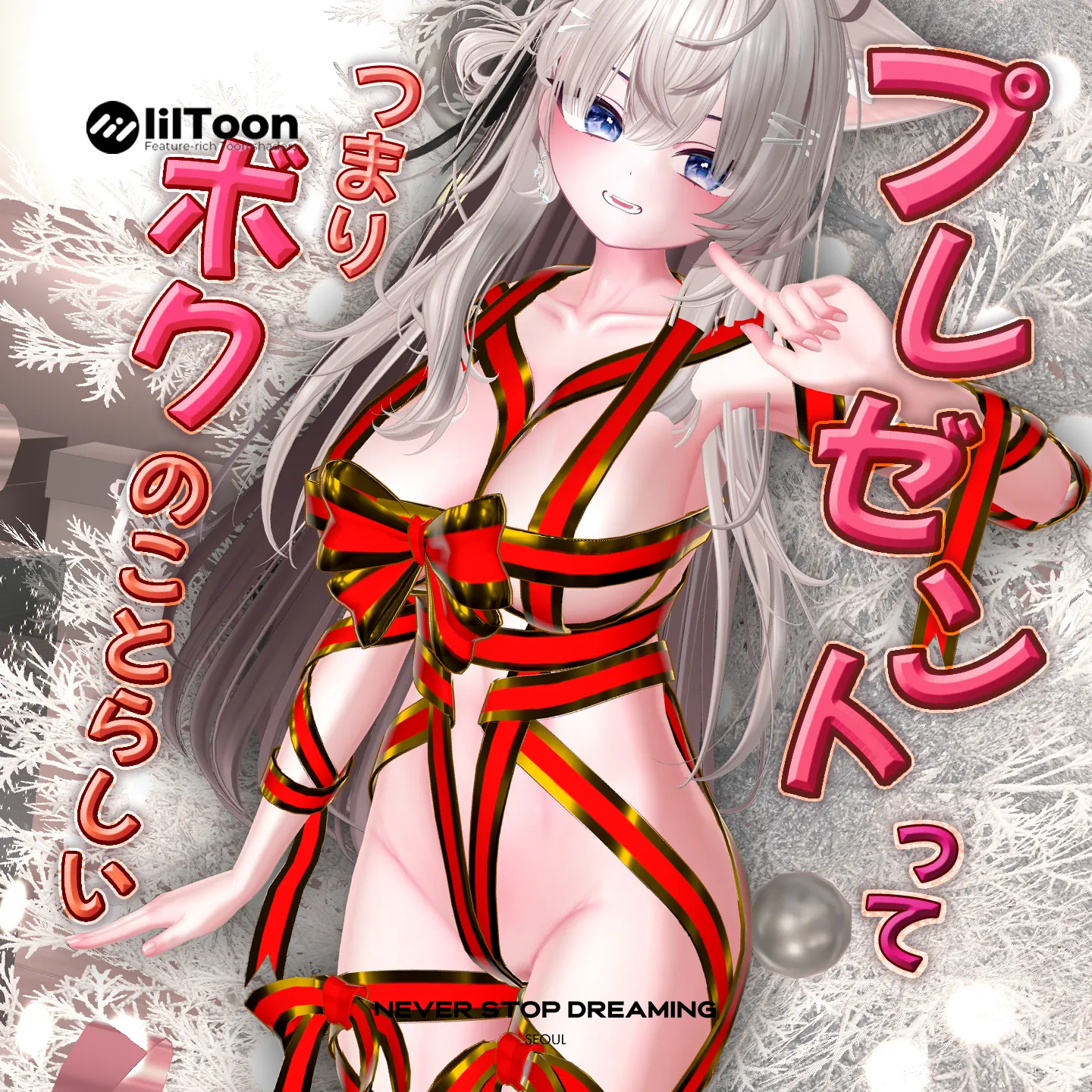
リボンの色変更について
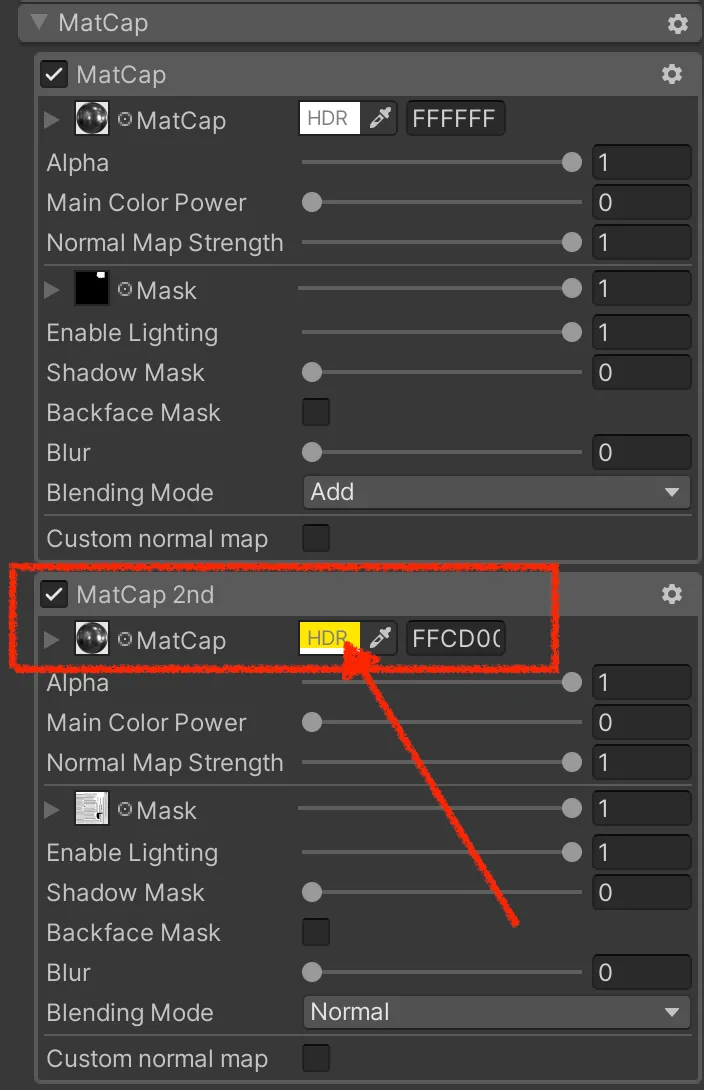
リボンの色は、あらかじめ用意されたマテリアルだけでなく、Base Color と MatCap の色を変更することで、お好みの色に調整できます。
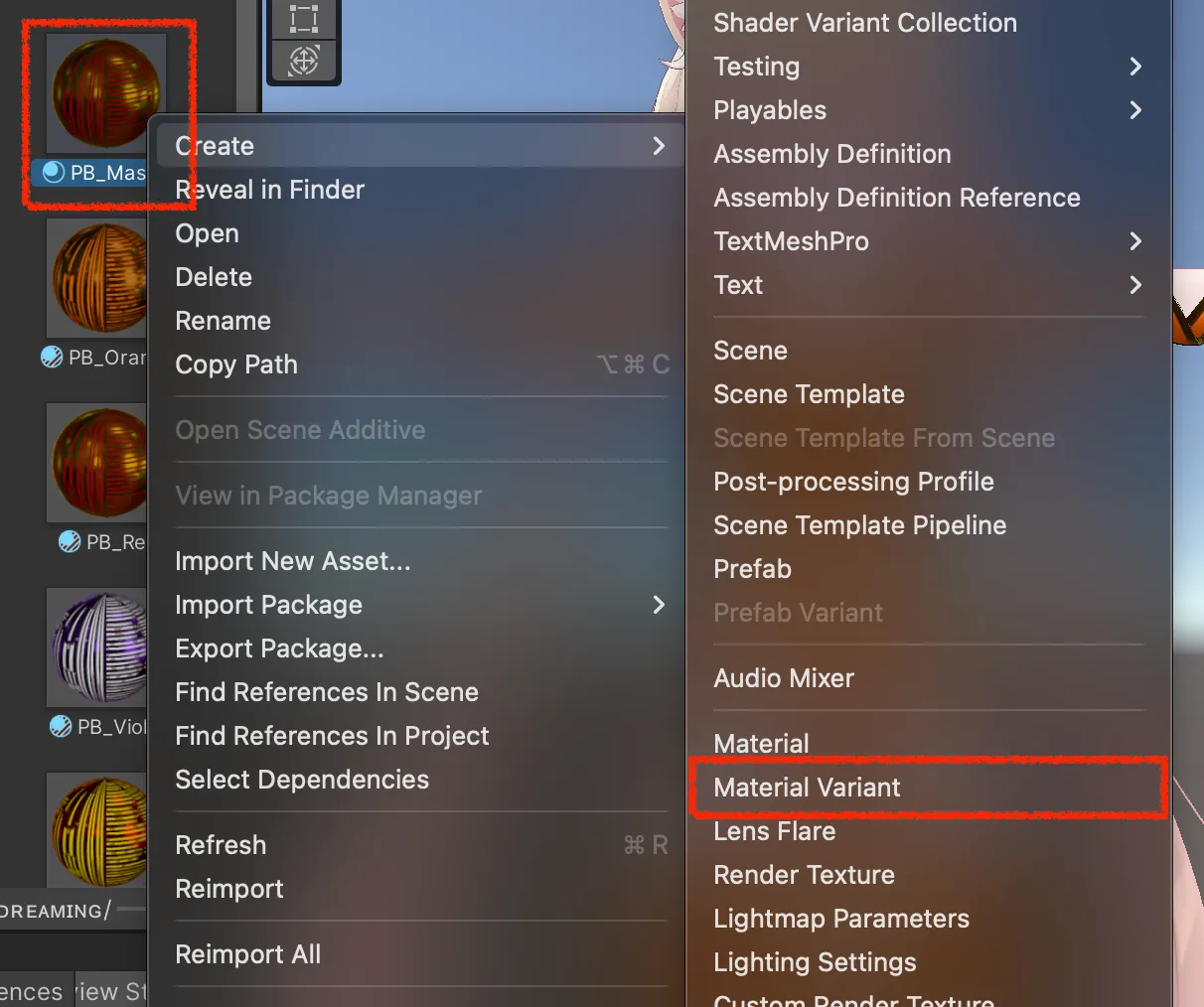
以下の手順に従って PB_Master を右クリックし、Material Variant を作成した後、
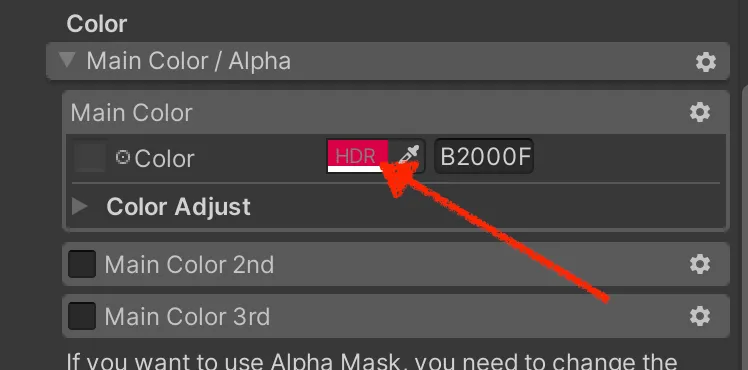
Main Color と MatCap 2nd の色を変更してください。
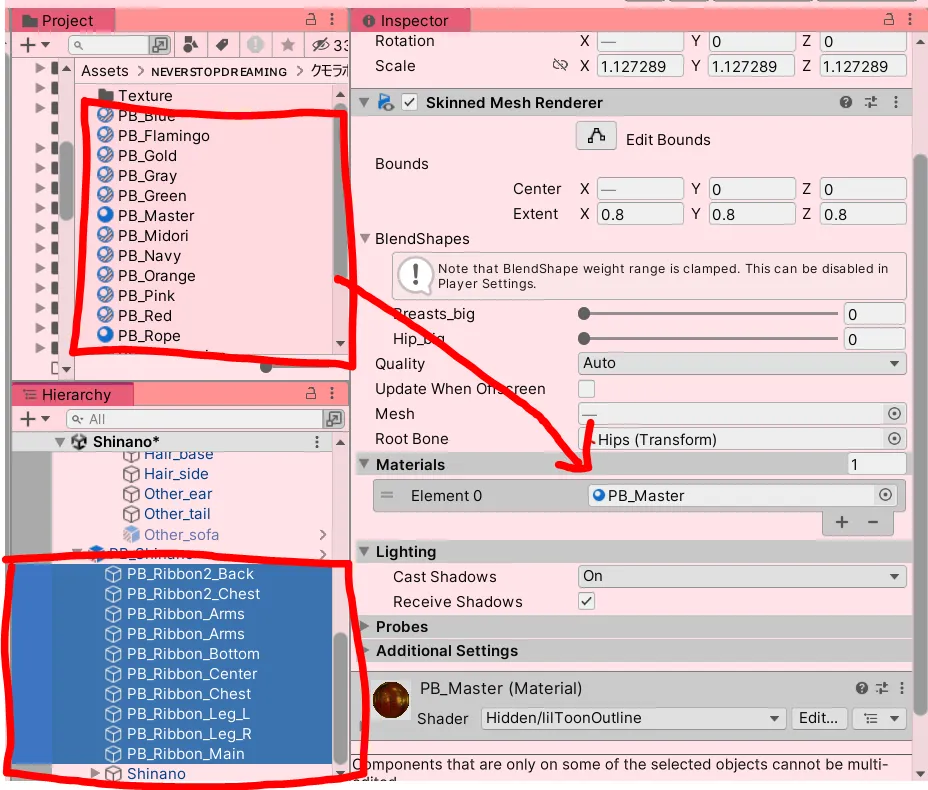
あらかじめ用意された色を使用する場合は、オブジェクト全体を選択し、Inspector からマテリアルを差し替えてください
리본의 색상 변경에 관하여
리본의 색상은 사전 구성된 마테리얼 이외에도 Basecolor와 Matcap 색상을 변경하여 원하는 색으로 만들 수 있습니다. 아래에 따라 PB_Master 를 우클릭해서 Material Variant를 만든 뒤 Main Color와 MatCap 2nd의 색상을 바꿔주세요.
혹은 사전 구성된 색상을 이용하려면 전체 오브젝트 선택 후 Inspector에서 마테리얼을 교체해주세요.
About Changing the Ribbon Color
The ribbon color can be customized not only with the preconfigured materials, but also by adjusting the Base Color and MatCap colors.
Please right-click PB_Master to create a Material Variant, then change the colors of Main Color and MatCap 2nd as desired.
To use the preconfigured colors, select the entire object and replace the material in the Inspector.
互換性情報
-
Airi_Ver1.01
-
Chiffon_v1.00
-
Milfy_v1.5.0
-
Milltina_ver1.01.1
-
SELESTIA_ver1.02
-
Shinano_ver1.01.2_AMSv0.0.12
Modular Avatar 1.11.0 にて動作確認済みです。
アップデート情報については、Boothページをご確認ください。
Confirmed to work with Modular Avatar 1.11.0.
For the latest updates, please check the Booth page.
Modular Avatar 1.11.0에서 작동을 확인했습니다.
업데이트 정보는 Booth Page에서 확인 바랍니다.
Use in streaming platform
日本語 · English · 한국어 → Use in streaming platform
Last Modified: 2025.12.17